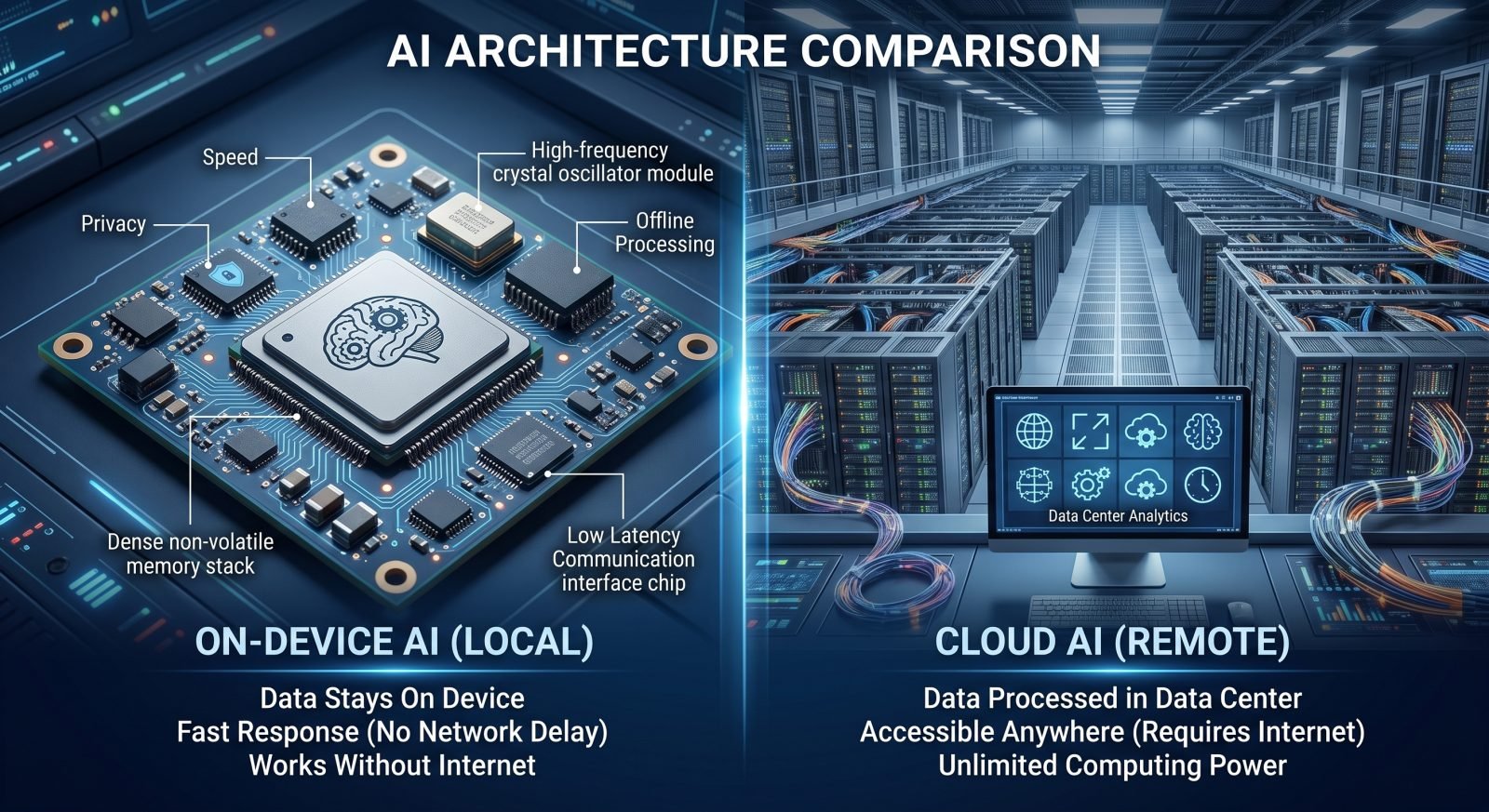
For the past few years, artificial intelligence has been almost exclusively synonymous with cloud computing. From ChatGPT to enterprise-grade data analytics, the heavy lifting happened in massive, remote data centers. But in 2026, the hardware landscape has fundamentally changed.
With the mass deployment of Neural Processing Units (NPUs) in consumer laptops and the rise of highly efficient, smaller language models (SLMs), we are witnessing a massive migration back to local hardware. If you are an IT leader or a developer building autonomous multi-agent systems, the most critical architectural decision you face today is choosing between on-device AI and cloud AI.
Here is a comprehensive breakdown of how these two approaches compare in 2026 and where you should route your workloads.
The Case for Cloud AI in 2026
Cloud AI refers to AI models and processing that occur on remote servers owned by providers like AWS, Google Cloud, or Microsoft Azure. The user's device simply acts as an interface, sending data over the internet to be processed and receiving the generated output.
The Advantages
- Massive Compute Power: Cloud infrastructure can handle trillion-parameter foundation models that would instantly melt a consumer laptop. For complex tasks like generating high-resolution video or analyzing massive corporate datasets, the cloud remains undisputed.
- Seamless Updates: When a developer patches a vulnerability or updates a model's training data, the change happens on the server. Every user instantly accesses the latest version without needing to download large update files.
- Scalability: Enterprise cloud platforms allow businesses to spin up thousands of AI agents simultaneously, paying only for the compute time they actually use.
The Drawbacks
- Latency: Sending a request to a server hundreds of miles away and waiting for a response creates a noticeable delay. For real-time applications, this lag is unacceptable.
- Continuous Costs: Cloud AI relies on an API-call model. Every time a user interacts with the AI, it costs a fraction of a cent. At an enterprise scale, this leads to unpredictable and massive monthly bills.
- Data Privacy: Sending proprietary company data or sensitive user information off-site to a third-party server creates significant compliance and security risks, requiring strict identity threat detection and governance.
The Rise of On-Device AI (Edge AI)
On-device AI (sometimes called Edge AI) means the model lives and runs entirely on your local hardware—whether that is a smartphone, an AI PC with a dedicated NPU, or a local server rack. No internet connection is required for the processing.
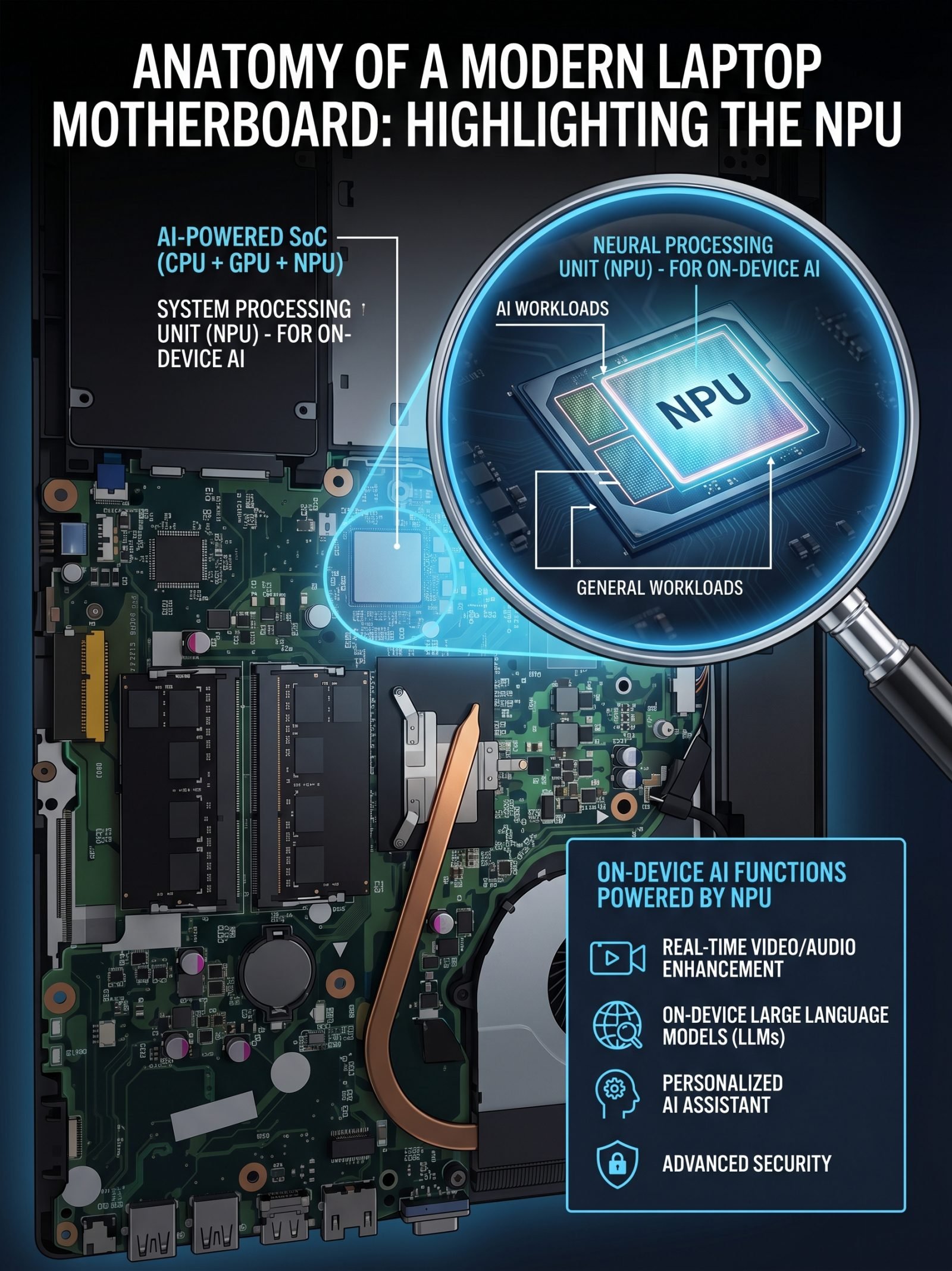
The Advantages
- Zero Latency: Because the data never leaves the motherboard, processing happens almost instantaneously. This is critical for real-time translation, autonomous driving, and live video analytics.
- Ultimate Privacy: The data stays strictly on the device. For industries like healthcare, finance, and defense, on-device AI bypasses massive regulatory hurdles because sensitive data is never transmitted to the cloud.
- Predictable Cost: You pay for the hardware once. Whether your employees run 10 prompts or 10,000 prompts a day, the operational cost remains exactly the same (aside from electricity).
- Offline Functionality: On-device AI works securely in airplanes, remote locations, or during internet outages.
The Drawbacks
- Hardware Constraints: A laptop NPU cannot run a massive, cutting-edge foundation model. Local AI is restricted to smaller, highly optimized models (SLMs) tailored for specific tasks.
- Battery Drain: Running continuous AI workloads locally consumes significant power, though the latest 2026 silicon from Apple, Qualcomm, and Intel has drastically reduced this impact.
Our Take: The Techoria Decision Matrix
The debate between on-device AI vs cloud AI is not about which one will "win," but rather how they will work together in a hybrid architecture. To maximize efficiency and security in 2026, Techoria News recommends routing your workloads based on the following matrix:
Choose On-Device AI If:
- Privacy is the priority: You are summarizing internal financial documents, personal emails, or patient data.
- You need real-time reflexes: Your application relies on computer vision, live audio transcription, or gaming physics.
- You want to cap costs: Your user base heavily queries the AI for simple tasks (like drafting emails or sorting data) where API costs would spiral out of control.
Choose Cloud AI If:
- Complexity is the priority: You require deep reasoning, complex coding, or high-fidelity media generation from a massive foundation model.
- You are analyzing big data: The AI needs to query vast, external databases or cross-reference millions of rows of real-time market data.
- Hardware is limited: Your workforce relies on older legacy devices or thin clients that lack dedicated NPUs.
By adopting a hybrid approach—handling quick, sensitive tasks locally and reserving the cloud for heavy lifting—organizations can achieve the perfect balance of privacy, performance, and budget in 2026.